Developer work command center
A focused dark workspace that brings repository health, priorities, and active work into one view.
Read this prompt as Markdown or plain text
When to use it
It prevents the usual dashboard-card soup by tying every region to a developer decision and specifying a controlled visual system.
Prompt
Build a developer work command center for [REPOSITORIES OR TEAM]. Read the project guidance and reuse its components, icons, tokens, and data patterns.

Create a responsive dashboard with: a concise greeting and current focus; repository health cards; active pull requests and issues; a short priority queue; recent signals; and a small quick-actions area. Use believable data and clear timestamps. Every module must answer a concrete question or enable an action.

Use a refined dark visual system with layered surfaces, restrained borders, one cool accent, semantic status colors, and strong type contrast. Avoid neon overload, generic gradients, excessive glass effects, and a wall of identical cards. Vary composition according to importance.

Implement repository switching, filtering, expandable detail, loading/empty/error states, and at least one useful quick action. Preserve readable density at laptop widths and collapse to a deliberate single-column mobile flow. Ensure focus indicators, accessible names, contrast, and non-color status cues.

Keep all branding original. Verify real interaction paths, console cleanliness, and layout at desktop and mobile sizes. Return the route, files changed, test results, and screenshots.
Adapt it to your task
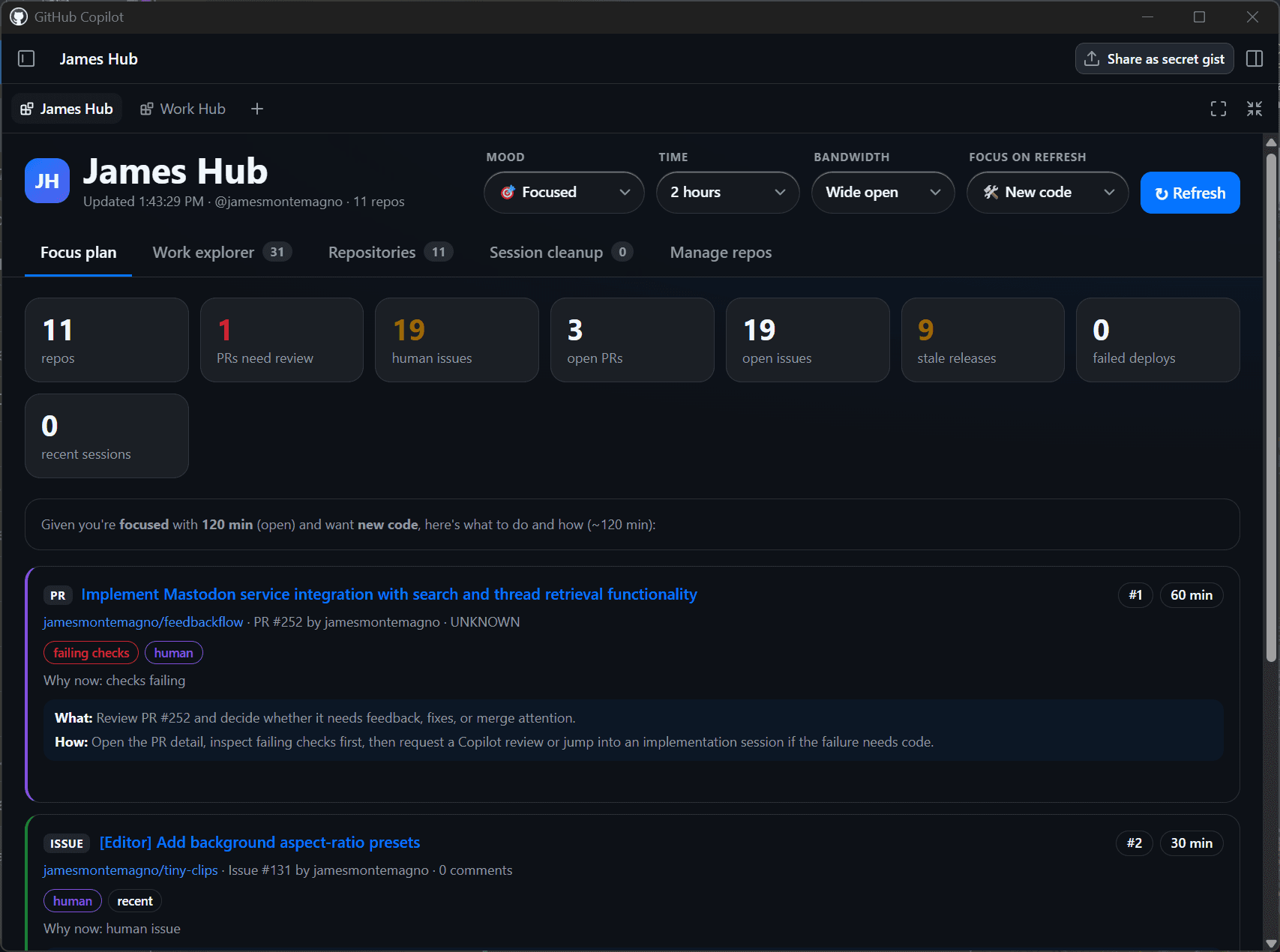
Adapted from Work Hub's cross-repository developer canvas and its committed dark-mode preview.
Third-party prompt. Source review does not establish benchmark performance or guarantee an outcome.
Reviewed source output
Source and license
Contributor: @jamesmontemagno. Repository: github/awesome-copilot.
License: MIT. Pinned commit: b95e24caae4f25c5985f8527fd092ccfed039c36.

Review: output-reviewed, . Reviewed the commit-pinned implementation and its committed preview image. The preview is representative source output, not a claim that this adapted prompt reproduces it pixel-for-pixel.