Swipe-based backlog triage
A fast, card-based flow for making one clear issue decision at a time—with undo and keyboard parity.
Read this prompt as Markdown or plain text
When to use it
The prompt balances expressive interaction with safety, accessibility, and enough issue context to prevent careless triage.
Prompt
Design and implement a backlog triage flow for [PROJECT] that presents one issue at a time and supports decisions: assign, needs information, defer, close, or ignore.

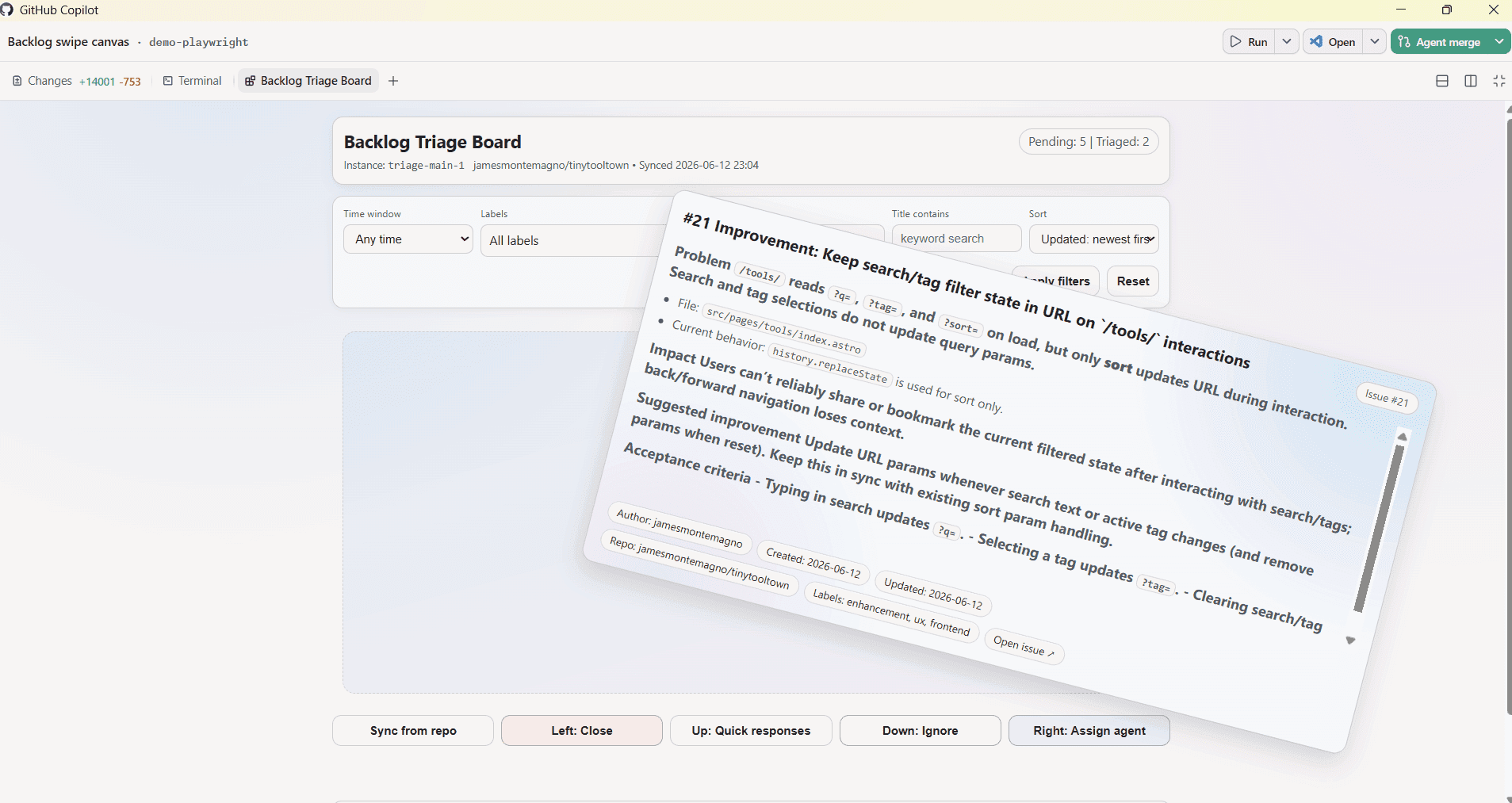
Inspect existing patterns first. Build a centered decision card with issue title, metadata, concise body, labels, age, and author; a visible queue/progress indicator; and clearly labeled actions. Use realistic issue data. Show enough context for a responsible decision without turning the card into a full issue page.

Create an energetic but disciplined visual style with tactile depth, readable typography, restrained semantic color, and clear spatial cues. Swipe/drag may enhance the experience, but every action must also work by button and keyboard. Add confirmation for destructive choices, undo for the last action, and clear success, empty-queue, loading, and failure states.

Motion should explain the decision and honor reduced-motion preferences. Make mobile interaction comfortable and desktop keyboard use fast. Avoid copied branding and never encode meaning by color alone.

Test all decision paths, undo, keyboard controls, and responsive layout. Finish with changed files, commands/results, and screenshots of the active card and completed state.
Adapt it to your task
Adapted from Backlog Swipe Triage's card-based GitHub issue workflow and committed preview.
Third-party prompt. Source review does not establish benchmark performance or guarantee an outcome.
Reviewed source output
Source and license
Contributor: @jamesmontemagno. Repository: github/awesome-copilot.
License: MIT. Pinned commit: b95e24caae4f25c5985f8527fd092ccfed039c36.

Review: output-reviewed, . Reviewed the commit-pinned implementation and its committed preview image. The preview is representative source output, not a claim that this adapted prompt reproduces it pixel-for-pixel.