Website content studio
A polished section-by-section workspace for planning, drafting, and reviewing a personal site.
Read this prompt as Markdown or plain text
When to use it
It defines hierarchy, states, interaction, content quality, and verification—enough direction for a coding agent to produce a coherent product surface instead of a static mockup.
Prompt
Build a polished website content studio for [AUDIENCE] inside this app.

First inspect the existing design system, routing, data patterns, and repository guidance. Reuse established components and tokens.

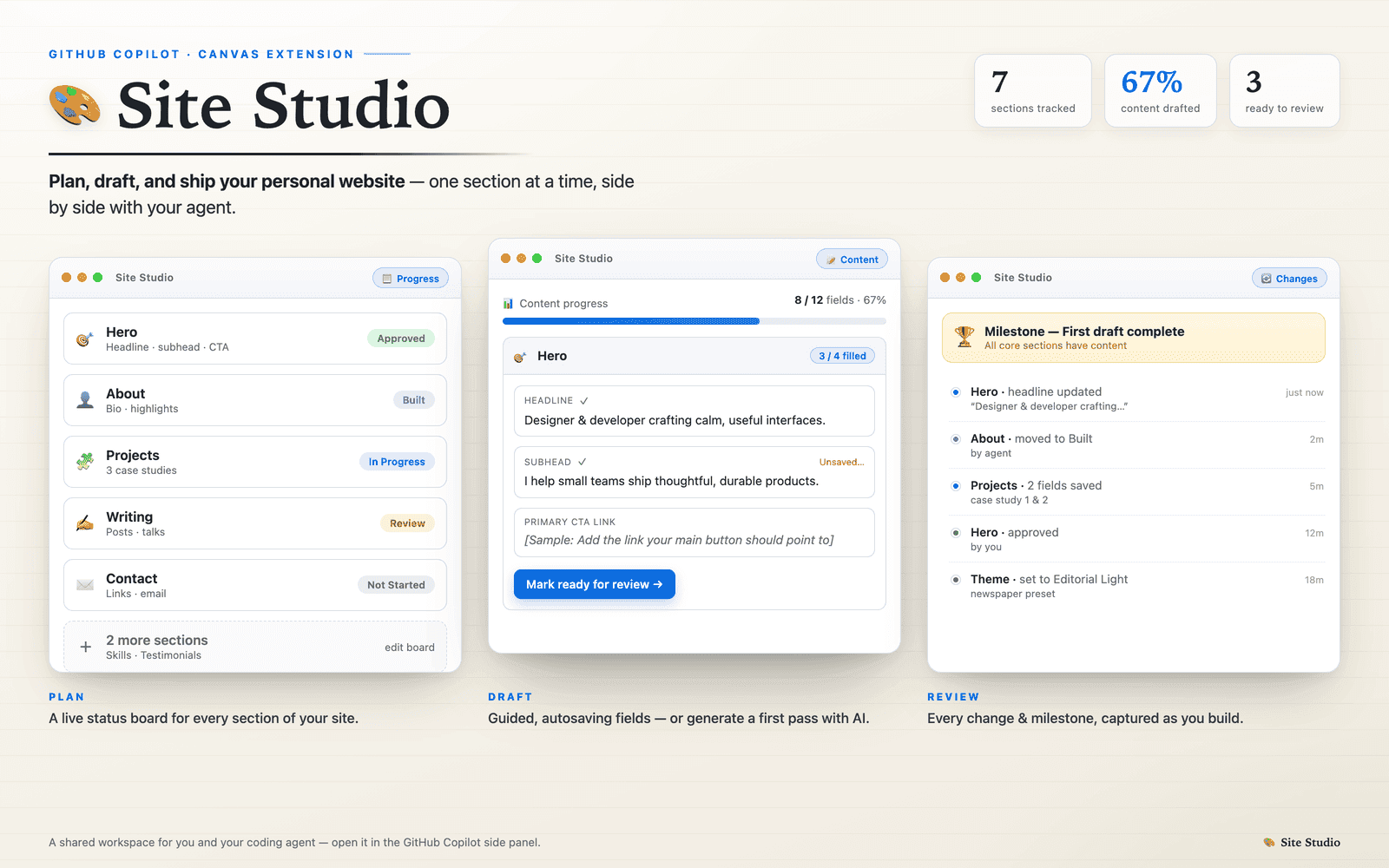
Create a responsive three-part workspace:
- a compact project rail showing site sections and completion status;
- a focused canvas for the selected section with goal, draft, notes, and preview modes;
- a progress area that makes the next useful action obvious.

Use realistic seed content for [SITE OR BRAND], not lorem ipsum. Establish an editorial visual language with calm neutrals, one restrained accent, strong typographic hierarchy, generous space, and crisp dividers. Preserve context while switching sections. Include empty, saving, saved, and validation-error states; keyboard navigation; visible focus; and accessible labels.

Implement meaningful interactions: add/reorder sections, edit a draft, mark a section ready, and switch between draft and preview. Keep controls quiet until relevant. Avoid copying source branding or exact content.

Verify the finished route at desktop and mobile widths. Confirm no horizontal overflow, keyboard reachability, and working state transitions. Finish with the route, files changed, checks run, and one screenshot of each viewport.
Adapt it to your task
Adapted from Site Studio's planning-and-drafting canvas. The source preview is structural inspiration; branding and copy should remain original.
Third-party prompt. Source review does not establish benchmark performance or guarantee an outcome.
Reviewed source output
Source and license
Contributor: @ayangupt. Repository: github/awesome-copilot.
License: MIT. Pinned commit: b95e24caae4f25c5985f8527fd092ccfed039c36.

Review: output-reviewed, . Reviewed the commit-pinned implementation and its committed preview image. The preview is representative source output, not a claim that this adapted prompt reproduces it pixel-for-pixel.